
Forecasting Quick Start
Upload your data and quickly create your first forecast in sherloc
sherloc is a powerful tool that offers a depth of resources and knowledge. But you can get started and exploring in just a few steps. Follow the guide below to upload your data and create your first forecast.
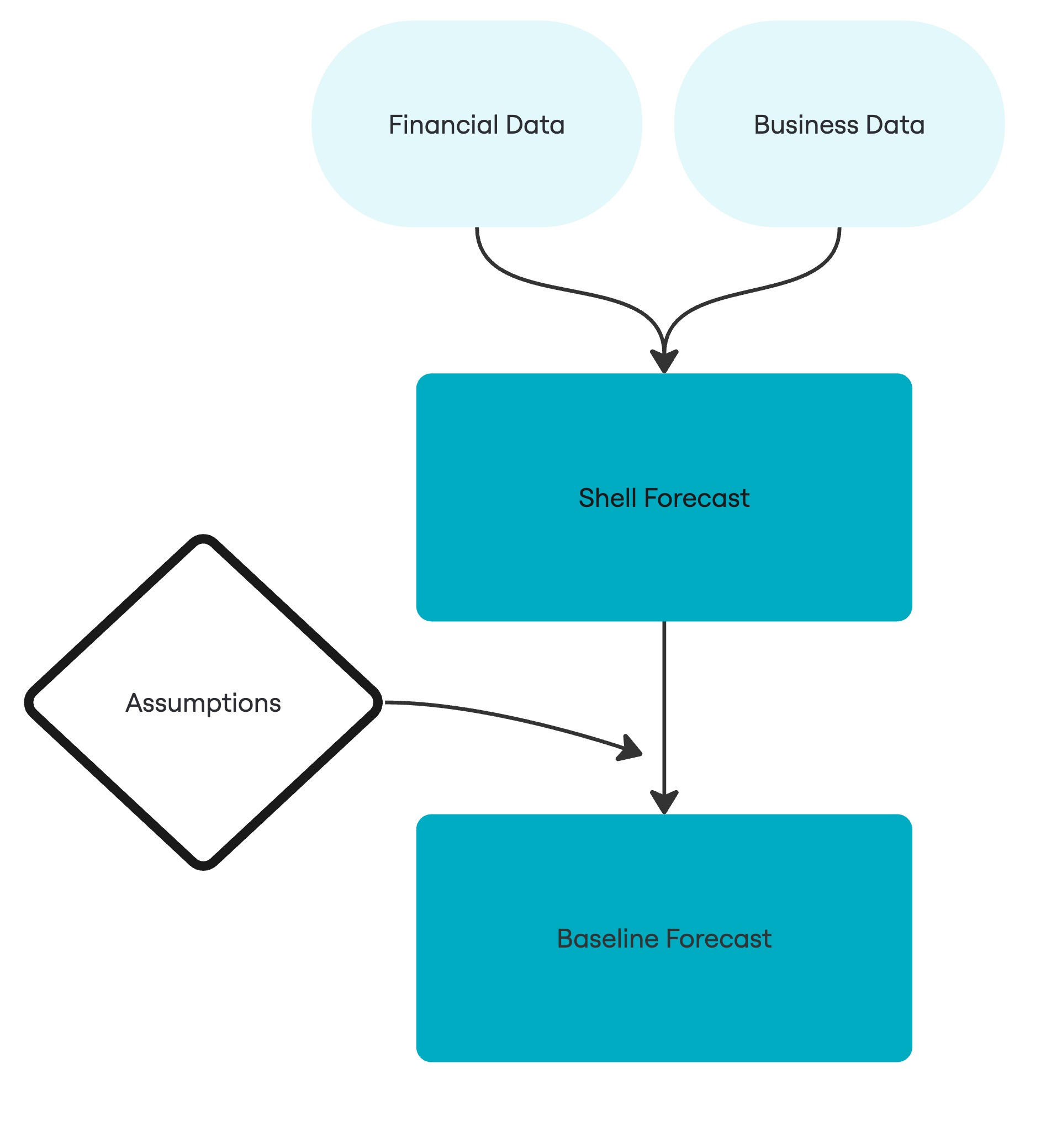
- Upload your financial data: Your income statement, balance sheet and cashflow. You can get started with just an income statement.
- Upload your business data: Your plans and costs. This can include staffing costs, sales forecasts
- Create a forecast: create a forecast using your financial data and business data. The forecast copies your last month of financial data and carries it forward for the duration of the forecast creating a 'shell forecast'.
- Add assumptions: link your business plan and insights to sherloc with the assumption builder. Add as many as you like to complete your forecast.
You have now completed your first forecast. You can copy this forecast to make different scenarios. Update your forecast every month to see how you are tracking against your baseline forecast and avoid uncertainty.