Managing your forecasts in sherloc
Creating a managing your forecasts properly is key to getting the most out of sherloc. With good organisation you will be able to update your data, create meaningful scenarios, while maintaining the integrity of your original forecasts for comparison and tracking.
Types of forecasts in sherloc
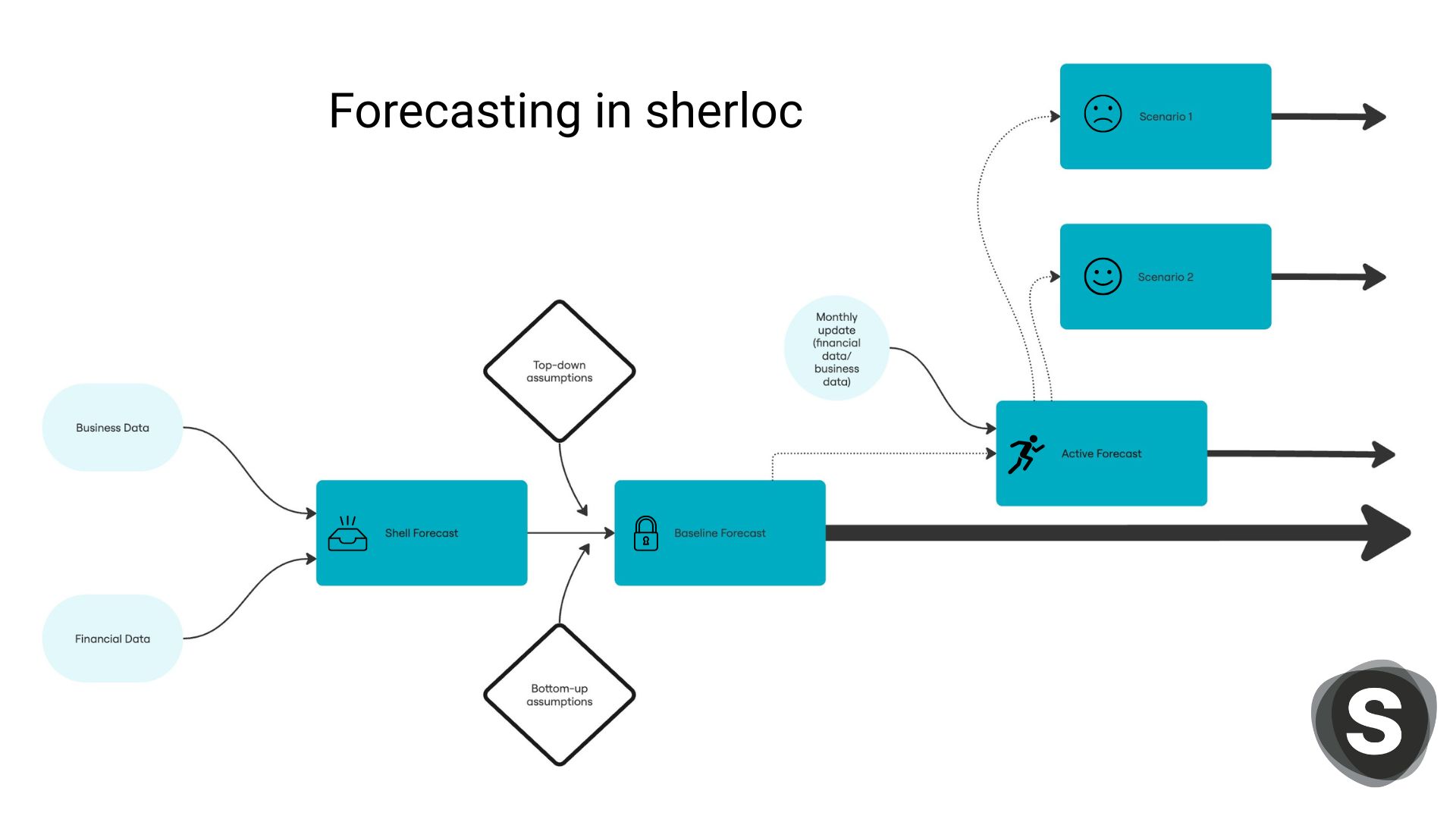
Shell forecast: when you first create a forecast in sherloc, your data from the last month of your financial data will be copied and carried forward for each month of the forecast. This will give you a flat, ‘shell forecast’ that will be the foundation for your other forecasts. This forecast does not have any intelligence or extra data included. Assumptions, data, and insights will be entered into this forecast to create you baseline forecast.
Baseline forecast: This forecast is going to be constant and used for comparison throughout the duration of the forecast period.
Once you have created your first ‘shell forecast’ you will need to apply your business data and insights. You can do this by creating assumptions in the assumption builder. Apply assumptions to all lines in your income statement that require them for your forecast.
As other forecasts will be copied from this forecast, it is important not to change the assumption or business data within the baseline forecast. Doing so will mean the forecasts you have created from baseline forecast will be out of sync and will no longer provide an accurate comparison.
Active forecast: Once you have finalised your baseline forecast, make a copy that you can use to track your monthly updates. You can also adjust your business data in this forecast if you need. Use this forecast to see how you are tracking against your baseline forecast over time.
Scenario forecast: Create a copy of your active forecast to test different scenarios. Change assumptions or business data to see how different internal or external factors will affect your business.